
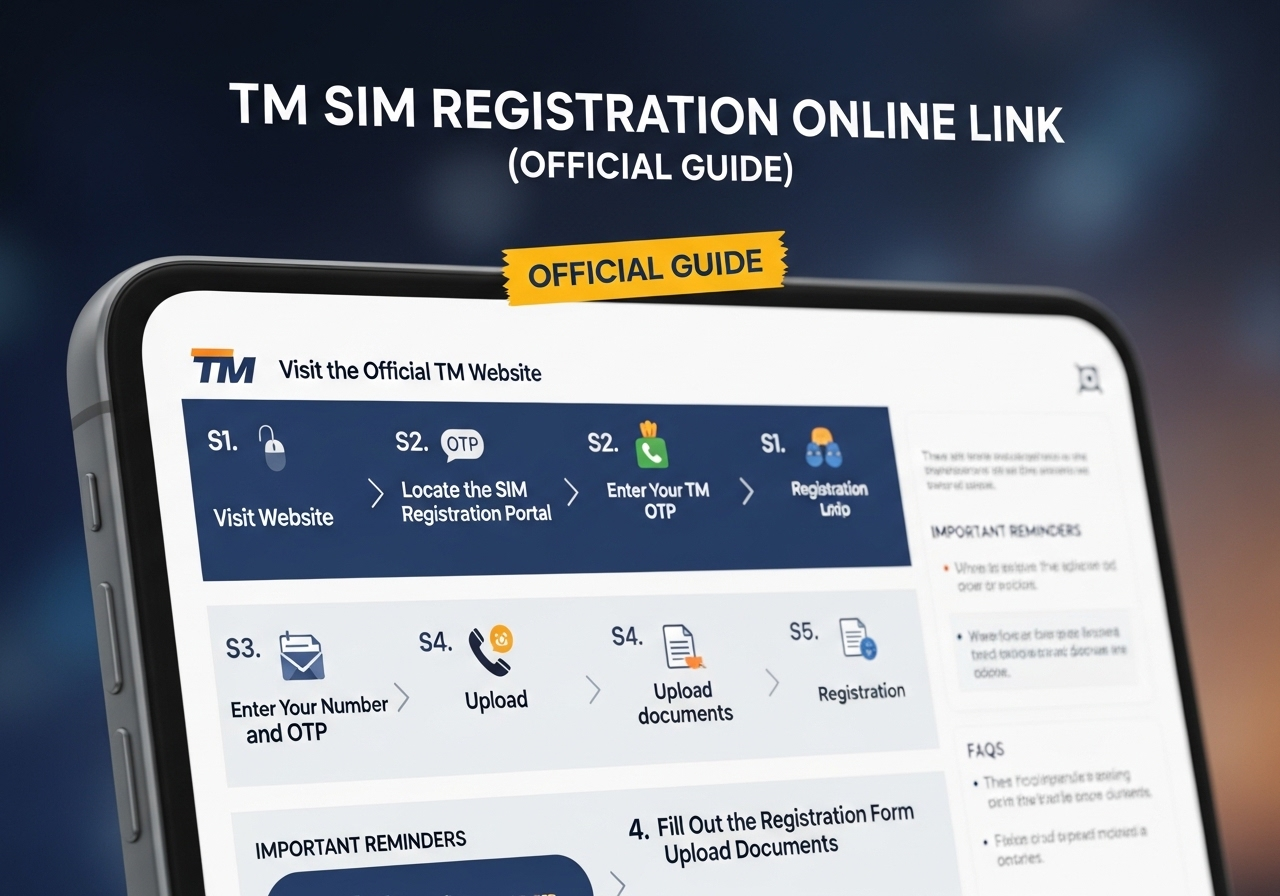
TM SIM Registration Online Link (Official Guide)
Every TM subscriber in the Philippines must now complete tm sim registration to keep their number active. This requirement comes from the SIM Registration Act, a law designed to protect mobile users from scams, fraud, and illegal activities. If your TM SIM is not registered, it can be disconnected, and you may lose access to calls, text messages, and mobile data.
This guide explains everything clearly in easy language. You will learn where to find the official online link, how to register step by step, what documents are needed, and how to avoid common mistakes. By the end of this guide, you will know exactly what to do.
Understanding the SIM Registration Law in the Philippines
The SIM Registration Act was created to improve safety in mobile communication. Before this law, people could buy SIM cards without giving real identification. This made it easier for scammers to use anonymous numbers.
Now, all mobile users must register their SIM cards with valid identification. This rule applies to prepaid and postpaid users, including TM subscribers.
The main goals of the law are:
- Stop scam calls and spam messages
- Reduce online fraud
- Improve public safety
- Protect mobile users
- Make telecom services more secure
If you use a TM SIM, registration is not optional. It is required.
Why TM SIM Registration Is Important for Every User
Completing your tm sim registration ensures your number remains active. Without registration, your SIM will be deactivated.
Registration also helps:
- Keep your mobile number safe
- Protect your online accounts linked to your SIM
- Prevent misuse of your number
- Maintain access to data promos
- Avoid service interruptions
Many people use their TM number for banking, online shopping, social media, and school communication. Losing access to your SIM can create serious problems.
How TM SIM Registration Affects Your Promos and Services
Many TM users enjoy promos like calls, texts, and data bundles. These services will continue to work only if your SIM remains active. For example, if you are subscribed to popular promos such as all surf 99 tm, you must complete your SIM registration to keep using your data and call benefits without interruption.
If your SIM is deactivated due to non-registration, even active promos will stop working. That is why it is important to register your SIM early and avoid service disruption.
Where to Find the Official TM SIM Registration Online Link
The official registration link is provided directly by TM and Globe Telecom. It is important to use only the legitimate website.
To locate the official link:
- Visit the official TM website.
- Navigate to the SIM Registration section.
- Click the registration option.
Always check the website address carefully. Fake websites may try to collect your personal information. Never trust links sent by unknown numbers.
Registration is completely free. If anyone asks for payment, it is a scam.
Who Must Complete TM SIM Registration
All TM users must register their SIM cards. This includes:
- New prepaid SIM users
- Existing prepaid subscribers
- Postpaid customers
- SIM replacement holders
Even if you have used your number for many years, registration is still required.
What You Need Before Starting
Prepare these items before visiting the official website:
- Your TM mobile number
- A valid government-issued ID
- A recent selfie photo
- A stable internet connection
- Strong mobile signal for OTP verification
Having everything ready will make the process faster.
Valid IDs Accepted for Registration
You can use any of the following valid IDs:
- Philippine National ID
- Passport
- Driver’s License
- Voter’s ID
- SSS ID
- GSIS ID
- UMID
- PRC ID
Make sure the ID is clear, readable, and not expired.
Step-by-Step Guide to Register Your TM SIM Online
Follow these steps carefully.
Step 1: Open the Official Registration Website
Using your phone or computer, open your internet browser and access the official TM registration page.
Make sure:
- The website address is correct.
- It shows official TM or Globe branding.
- It does not ask for payment.
Step 2: Enter Your TM Mobile Number
Type your complete 11-digit TM number.
Double-check the number before continuing.
Click the registration button to proceed.
Step 3: Verify Using OTP
An OTP (One-Time Password) will be sent to your TM number.
Check your SMS inbox.
Enter the OTP within the given time.
If you do not receive it:
- Wait a few minutes.
- Check signal strength.
- Request another OTP.
Step 4: Fill in Personal Information
Enter your personal details exactly as shown on your ID:
- Full name
- Date of birth
- Gender
- Address
- Nationality
Accuracy is very important. Any mismatch may delay approval.
Step 5: Upload Your Government ID
Take a clear photo of your ID.
Ensure:
- All text is visible.
- No parts are cut off.
- The image is not blurry.
- There are no reflections or shadows.
Upload the image as instructed.
Step 6: Upload a Clear Selfie
You must also upload a selfie photo.
Guidelines for selfie:
- Face must be fully visible.
- No sunglasses or hats.
- Use good lighting.
- Do not use filters.
The selfie confirms your identity.
Step 7: Review Your Details
Before submitting:
- Check your name spelling.
- Confirm your mobile number.
- Verify your birth date.
- Make sure images are clear.
Once everything is correct, submit your registration.
Step 8: Wait for Confirmation
After submission, you will receive confirmation on the screen.
You will also receive an SMS confirming successful registration.
Save this message for reference.
How Long Does the Process Take?
Most users complete registration within 10 minutes.
Verification may take a short time, depending on system traffic.
Confirmation usually arrives quickly.
Common Problems and How to Fix Them
Here are typical issues and simple solutions.
OTP Not Received
- Check signal strength.
- Restart your phone.
- Ensure correct number entry.
- Request a new OTP.
Website Loading Issues
- Check the internet connection.
- Refresh the page.
- Try a different browser.
- Attempt during off-peak hours.
ID Upload Error
- Retake the photo in good lighting.
- Ensure full ID is visible.
- Avoid blurry images.
Selfie Rejected
- Remove glasses or a hat.
- Use bright lighting.
- Keep face centered.
What Happens If You Do Not Register
Failure to complete tm sim registration may result in:
- SIM deactivation
- Loss of call and text services
- No mobile data access
- Inability to receive OTP codes
- Permanent number disconnection
If the number is permanently deactivated, it cannot be recovered.
Can You Reactivate a Deactivated TM SIM?
If your SIM was recently deactivated:
- Visit the official website immediately.
- Complete the registration.
- Contact TM customer service if needed.
If too much time has passed, reactivation may not be possible.
Special Cases
Registration for Minors
If the SIM belongs to a minor:
- Parent or guardian must register it.
- Guardian’s ID will be used.
Registration for Foreign Nationals
Foreign users must provide:
- Passport
- Visa details
- Proof of local address
Validity may depend on visa duration.
How to Confirm Your Registration Status
If unsure:
- Visit the official website.
- Enter your number.
- Verify using OTP.
The system will display your status.
Why Early Registration Is Recommended
Registering early helps:
- Avoid website congestion
- Prevent service interruption
- Ensure smooth processing
- Avoid last-minute stress
Waiting until the deadline increases the risk of delays.
Safety Tips During Registration
- Never share OTP with anyone.
- Do not click suspicious links.
- Use secure internet connection.
- Keep your confirmation message.
- Avoid third-party agents asking for payment.
Registration is always free.
Benefits of Completing TM SIM Registration
Completing registration provides:
- Continuous service
- Secure mobile usage
- Protection against fraud
- Legal compliance
- Peace of mind
It protects both you and the community.
Why This Law Helps Everyone
The SIM Registration Act supports:
- Reduced criminal activity
- Better tracking of illegal numbers
- Safer online transactions
- Stronger telecom security
It benefits all mobile users.
Final Reminder Before Deadline
Do not delay your tm sim registration.
Check your status today.
Prepare your documents.
Use only the official website.
Complete registration early to avoid inconvenience.
Conclusion
TM SIM registration online is simple, quick, and necessary. By following the correct steps through the official website, entering accurate information, and uploading clear identification documents, you can successfully register your SIM in minutes. Registration ensures your number remains active and protects you from service interruption.
Do not wait until the last moment. Complete your registration today and keep your TM number secure and active without worry.