
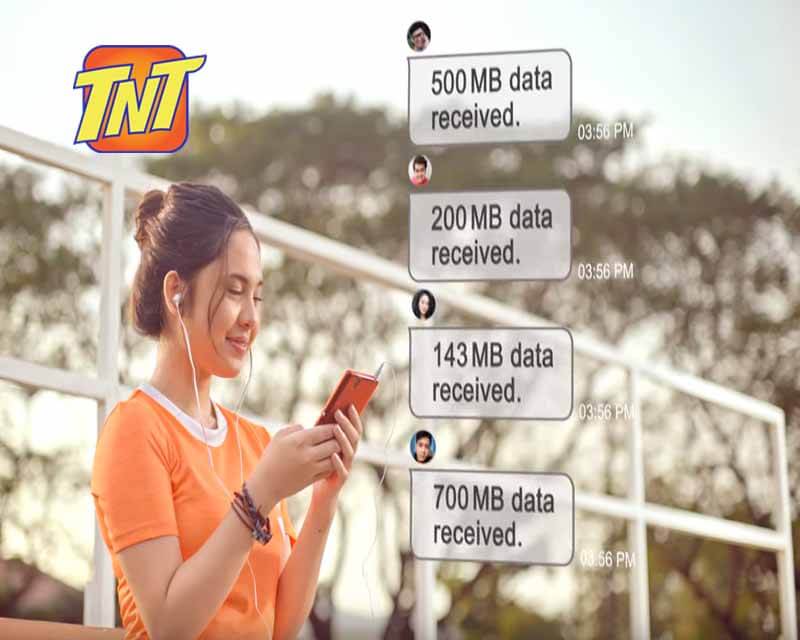
Share Your Data with Smart and TNT PasaData
Have you got extra mobile data? Share it with friends or family using Smart and TNT’s PasaData feature. It’s like sharing a snack with your friend during a break that is quick, easy, and kind. This guide explains how to share data, who can use it, and answers all your questions. Let’s jump in and learn how to keep your loved ones connected but before that kindly make sure your tnt sim registration is done.
Why Share Data?
Your friend’s scrolling TikTok, but their data runs out. Or your sibling needs to finish homework online and suddenly finds out that no data left. There, you can save the day by sharing your mobile data. PasaData lets you send unused data to help them browse, stream, or chat. It’s a small gesture that means a lot, like sharing your last piece of candy.
What You Need to Start
You need a Smart or TNT prepaid plan with shareable data. Plans like GIGA Video, GIGA Stories, or Panalo Data qualify. You must have at least 50MB left to share. Only prepaid Smart, Smart Bro, or TNT users can send or receive data. Postpaid plans don’t work for PasaData.
For example, GIGA Video 50 gives you 1GB of shareable data plus 1GB daily for apps like YouTube, TikTok, or iWantTFC. You can only share the 1GB open-access data. The app-specific data, like the YouTube allocation, stays with you. Always check your plan details in the GigaLife app to confirm what’s shareable.
How to Send Data
Sharing data is super simple. Text PASADATA, the 11-digit phone number, and the MB amount to 808. For example: TNT PASADATA 09123456789 100MB. Send it to 808. Each transfer costs 1 P, deducted from your balance. You and your friend get text messages confirming the transfer. That’s it! They can now surf, scroll, or stream with your shared data.
You can also use the GigaLife app. Open it, tap PasaData, enter the recipient’s number, choose the MB amount, and confirm. Both methods work fast, so pick what’s easiest for you.
Key Details to Know
Shared data lasts only 24 hours, so your friend needs to use it quickly. They can’t send it back to you or pass it to someone else. You can share as many times as you want, as long as you have at least 50 MB left. If your friend receives more data, it stacks up, and each new transfer resets the 24-hour expiry timer.
For example, if you send 100MB today and 200MB tomorrow, their total data becomes 300MB, valid for 24 hours from the last transfer. Tell your friend to watch that expiry so they don’t lose it.
Frequently Asked Questions
Who can use PasaData?
Smart or TNT prepaid users with active shareable data can send to other Smart or TNT prepaid users. Both need active phone lines and sufficient balance.
How do I share data?
Text PASADATA <11-digit number> to 808, like PASADATA 09123456789 50MB. Or use the GigaLife app: select PasaData, enter the number, pick the amount, and confirm.
Is there a cost?
Each transfer costs 1 peso, taken from your prepaid balance. It’s a small price to help a friend.
When does shared data expire?
Shared data expires in 24 hours, no matter how much you send. Use it fast!
Can I extend the data’s validity?
Yes, every new PasaData transfer resets the expiry to 24 hours from the latest transfer. Keep sharing to extend it.
Does shared data stack?
Yes, received data adds up. If you get 50MB, then 100MB, you have 150MB total, valid for 24 hours.
Can I subscribe to promos while using shared data?
Yes, signing up for new promos won’t affect your shared data. They stay separate.
Can I re-share received data?
No, received data is for your use only. You can’t pass it to another person.
Is there a limit to sharing?
No limit! Share as often as you want, as long as you have 50MB or more.
Is there a limit to receiving?
No limit on receiving data, but it all expires in 24 hours, so plan wisely.
Can I share with multiple people at once?
No, you share with one person per transaction. Want to share with others? Do separate transfers for each.
How do I check my data balance?
Dial *123#, select Balance/Services, then Balance. Or open the GigaLife app to see your remaining data instantly.
What if I have issues?
If PasaData doesn’t work, double-check your balance and plan. Contact Smart’s free hotline at *888 from your Smart or TNT phone.
Conclusion
PasaData is a thoughtful way to share your extra data with friends or family. A quick text or app tap keeps them online, whether they’re streaming, chatting, or studying. It’s like passing a lifeline in a pinch. Got questions or problems? Call *888 for free or check the GigaLife app. Keep sharing and stay connected!